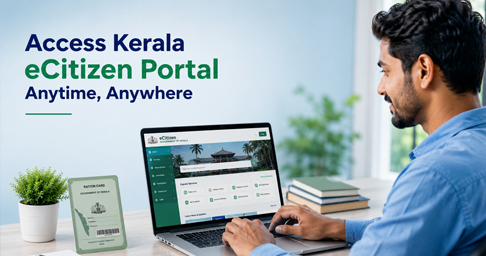
The eCitizen Kerala Login portal is the official online service platform of the Civil Supplies Department, Government of Kerala. It allows citizens to access various ration card services without visiting an office. Using this portal, eligible users can create an account, log in securely, recover login credentials, and access online services related to ration cards from anywhere. If you want to use Kerala Civil Supplies online services, this guide explains how to register, log in, and solve common login issues.
What is eCitizen Kerala?
The eCitizen Kerala portal is an official digital service platform introduced by the Civil Supplies Department to provide ration card-related services online. Registered users can create an account, sign in securely, and access eligible services without making frequent visits to government offices. The portal supports a faster, more transparent, and user-friendly way of accessing public services while helping citizens save both time and effort.
How to Register on eCitizen Kerala
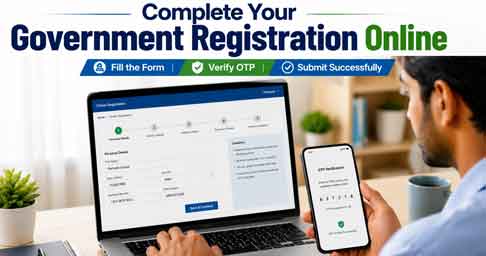
If you are a new user, follow these steps:
- Visit the official eCitizen Kerala portal.
- Click Create an Account.
- Enter your personal details.
- Provide your mobile number and email address.
- Complete the verification process.
- Create your User ID and Password.
- Log in using your new credentials.
Make sure the mobile number you provide is active, as it may be required for OTP verification and password recovery.
How to Login to eCitizen Kerala
- Open the official eCitizen Kerala Login page.
- Enter your User ID.
- Enter your Password.
- Complete the captcha verification.
- Click Sign In.
After successful login, you can access the available online services linked to your account.
Forgot User ID or Password?
If you cannot remember your login details, don’t worry. The portal provides Forgot User ID and Forgot Password options. Select the appropriate option on the login page and follow the OTP verification process using your registered mobile number or email address. Once verified, you can recover your account and create a new password if required.
Services Available Through eCitizen Kerala
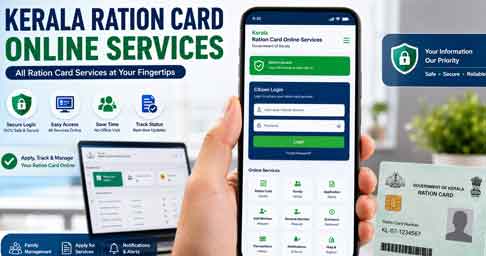
Depending on your eligibility and the services currently provided by the department, the portal can be used for various ration card-related online services. These services are updated by the Civil Supplies Department from time to time, so always refer to the official portal for the latest options.
Tips for Safe Login
- Use only the official eCitizen Kerala website.
- Never share your password or OTP with anyone.
- Keep your registered mobile number active.
- Log out after completing your work, especially on public computers.
- Use a strong password for better account security.
Frequently Asked Questions
Is eCitizen Kerala an official government portal?
Yes. It is managed by the Civil Supplies Department, Government of Kerala.
Can I create a new account online?
Yes. New users can register using the Create an Account option on the official portal.
What should I do if I forget my password?
Use the Forgot Password option and complete OTP verification to reset your password.
Is the portal free to use?
Yes. Accessing the portal and using the available online services is free.
🔗 Official Links
eCitizen Kerala Login
https://ecitizen.civilsupplieskerala.gov.in/index.php/c_login
Kerala Civil Supplies Department
https://civilsupplieskerala.gov.in
Conclusion
The eCitizen Kerala Login portal makes it easier for citizens to access ration card-related services online without unnecessary office visits. By creating an account and using the official portal, you can securely manage available services from your home. Always use the official website and keep your login credentials safe for a smooth online experience.
🔗 Related Articles
If you are looking for more Kerala Government online services, you may also find these guides helpful:
- Ente Ration Card App & Kerala EPOS Portal – Full Guide to Ration Card Services
https://thanseenailyas.com/ente-ration-card-app-kerala-epos-online-guide/ - How to Apply Smart Ration Card Online in Kerala – Step by Step Guide
https://thanseenailyas.com/how-to-apply-smart-ration-card-online-in-kerala/ - DigiLocker App – Secure Cloud Storage for All Your Government Documents
https://thanseenailyas.com/digilocker-app-download-guide/ - KSEB WSS Login Portal – Complete Guide to Online Electricity Services
https://thanseenailyas.com/kseb-wss-login-portal-guide/ - How to Apply New NORKA ID Card Online – Complete Guide
https://thanseenailyas.com/how-to-apply-new-norka-id-card/