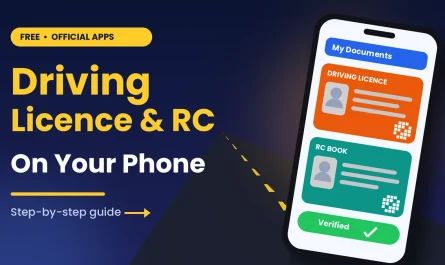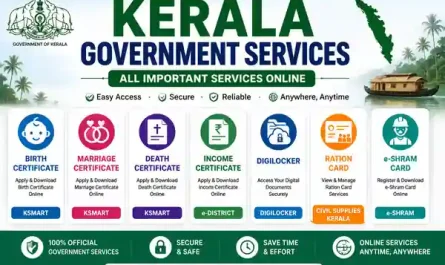

DigiLocker App – Secure and Convenient Digital Document Storage. In the modern digital era, managing physical documents can be cumbersome. The DigiLocker App by the Government of India offers a secure and convenient way to store, share, and access important documents digitally. From Aadhaar cards to driving licenses, educational certificates to vehicle registrations, DigiLocker serves as a one-stop solution for all essential records.
The app not only saves time and effort but also reduces the risk of losing important documents. It is widely adopted by students, professionals, and government institutions, providing a legal and trustworthy platform for e-documents. With DigiLocker, you can access your documents anytime, anywhere, using your smartphone or web browser.
What Is DigiLocker App
The DigiLocker App is a cloud-based platform that allows Indian citizens to store digital copies of important documents securely. It is part of the Digital India initiative and offers a paperless and secure solution for managing certificates and ID proofs. DigiLocker provides a unique account for each user, linked to their Aadhaar number, ensuring authenticity. The app supports downloading, uploading, and sharing of documents with government and private agencies in a secure manner.
Key Features of DigiLocker App
- Secure Digital Storage – Store important documents like Aadhaar, PAN, driving license, and educational certificates.
- Easy Document Access – Access your documents anytime on Android, iPhone, or web.
- Share with Agencies – Share e-documents with government agencies for verification without physical copies.
- Legal Validity – Digital documents in DigiLocker are recognized under Indian law.
- Cloud Backup – Avoid loss of documents due to theft, damage, or misplacement.
- Paperless Workflow – Enables digital verification for services like vehicle registration, education, and employment.
These features make DigiLocker an essential tool for citizens seeking a reliable, digital document management system.
Why Use DigiLocker App
Using the DigiLocker App has several advantages:
- Convenience – Carry all your documents in your phone instead of bulky files.
- Time-Saving – No need to visit government offices for document verification.
- Eco-Friendly – Reduces the use of paper and supports a paperless environment.
- Legal Compliance – Accepted by government agencies for official purposes.
DigiLocker bridges the gap between traditional paperwork and modern digital workflows, making official processes fast, secure, and hassle-free.
How to Register on DigiLocker App
Getting started with DigiLocker is simple:
- Download the App – Available for Android, iPhone, or access via web.
- Sign Up – Register using your mobile number and Aadhaar number.
- Verify Identity – Enter OTP sent to your registered mobile number for authentication.
- Create Account – Set up a secure password for your DigiLocker account.
- Start Uploading – Upload personal documents or access issued documents from government agencies.
Once registered, you can store, manage, and share your documents securely without any physical paperwork.
How to Use DigiLocker App to Store Documents
Using DigiLocker to manage documents is straightforward:
- Access Issued Documents – Government-issued documents like driving license, vehicle registration, and mark sheets can be linked and accessed directly in your DigiLocker account.
- Upload Your Own Documents – You can upload personal documents like certificates, photographs, or ID proofs.
- Share Documents Safely – Use QR code or direct link to share documents with agencies without exposing personal data.
- Download Anytime – Documents can be downloaded anytime for offline use or printing if required.
The app ensures all documents remain authentic, encrypted, and verifiable by agencies across India.
Benefits for Students and Professionals
Students can store educational certificates, mark sheets, and admission forms digitally. Professionals can save employment documents, identity proofs, and licenses, making it easy to submit documents for official verification. This eliminates the need for multiple physical copies and ensures easy accessibility anytime, anywhere.
DigiLocker also facilitates faster processes for applying to government schemes, scholarships, and services by providing secure digital verification of documents.
Tips for Secure Use of DigiLocker
- Always use strong passwords and enable two-factor authentication.
- Do not share login credentials with anyone.
- Regularly update documents and remove outdated or expired copies.
- Keep the app updated to access the latest features and security improvements.
- Backup your linked Aadhaar and mobile number to avoid login issues.
By following these tips, you can ensure that your documents remain safe, secure, and accessible at all times.
Android, iPhone, and Web Download Links
You can access DigiLocker on multiple platforms:
- Web Portal: https://digilocker.gov.in
- Android App: Google Play Store
- iPhone App: Apple App Store
Conclusion
The DigiLocker App is a revolutionary platform for digital document storage and management in India. It provides a secure, legal, and convenient way to carry, access, and share essential documents without relying on physical copies. With Android, iPhone, and web access, DigiLocker is accessible to everyone across the country.
By using DigiLocker, students, professionals, and citizens can save time, reduce paperwork, and ensure safety of documents, making it an indispensable tool in the era of digital governance.
- Kerala Property Tax Portal Guide
https://thanseenailyas.com/lsgd-kerala-property-tax-portal/ - DigiLocker App Download Guide
https://thanseenailyas.com/digilocker-app-download-guide/