
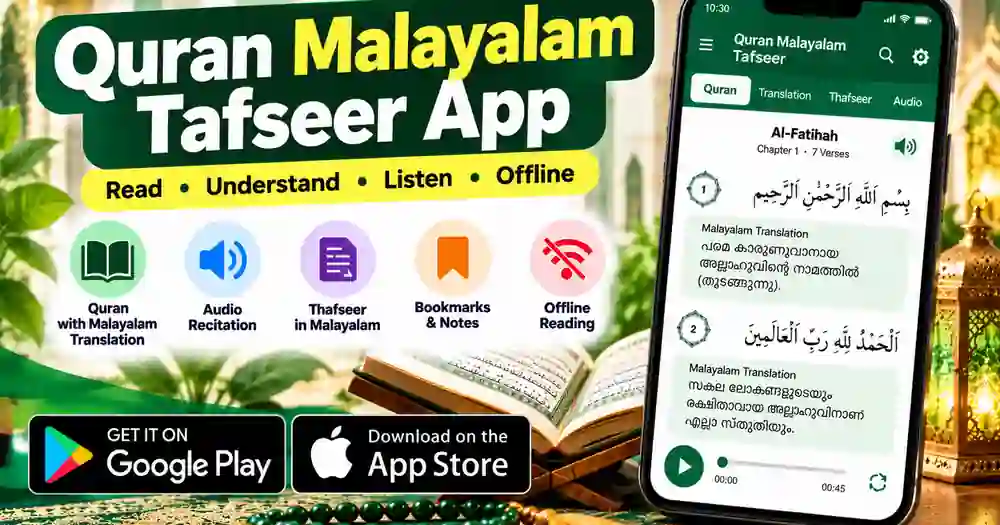
Are you looking for a Quran Malayalam Thafseer app to read the Holy Quran and understand its meaning in Malayalam? The Quran Malayalam Thafseer app helps readers explore Quranic verses, Malayalam translations and explanations. It also offers audio features for people who want to listen and learn. In addition, users can access reading tools such as bookmarks, notes and different text views. This guide explains the app’s main features, how to use it and where to download it safely.
What Is the Quran Malayalam Thafseer App?
Quran Malayalam Thafseer is an Android application developed by Zackariya Yoosuf. It is designed for Malayalam-speaking readers who want to study the Holy Quran with translation and Tafseer. The app includes translations associated with Cheriyamundam and Parappoor, along with Amani Moulavi Tafseer resources. It provides different ways to view verses and their meanings. Therefore, readers can choose a reading style that suits their learning needs.
Main Features of the Quran Malayalam App

1. Quran with Malayalam Translation
One of the main features is the ability to read Quranic verses with Malayalam translation. Readers can explore the original Arabic text and its translated meaning. Depending on the selected view, you can display verses, translations or word meanings. This makes it easier to follow the text while studying. Translation wording can vary, so choose a version that suits your learning requirements.
2. Tafseer and Explanation
Tafseer helps readers explore explanations and interpretations of Quranic verses. The app includes Amani Moulavi Tafseer-related audio resources and other study features. These options can support people who want to learn more about the meanings of the verses. However, an app should not replace qualified religious guidance when you need clarification. For detailed questions, consult a knowledgeable scholar.
3. Quran Audio and Tajweed
The app lists audio recitation, translation audio and Tajweed audio among its features. Users can listen to available recitations and explore audio learning options. Verse playback and repeat functions can also help users revisit individual verses. These tools may be useful for revision and recitation practice. Available audio content and playback options can depend on the app version.
4. Offline Quran Reading
Another useful feature is offline reading. After installing the app and making the necessary content available, users can read supported material without a continuous internet connection. This can be helpful while travelling or in places with limited network coverage. However, some audio or online resources may still require internet access. Check the features on your device before relying on offline access.
5. Bookmarks, Notes and Reading Settings
The app provides tools such as bookmarks, notes, favourite verses and adjustable font sizes. You can mark a verse for later reference and use notes to support your personal study. The app also lists automatic scrolling and multiple reading views. These features make it easier to organise your reading sessions. Explore the settings to find the options that best suit your preferences.
How to Use the Quran Malayalam Thafseer App
Getting started is simple for most Android users. First, install the application from Google Play and open it on your phone. Next, explore the Quran chapters and select the Surah you want to read. Choose a suitable view to display the Arabic text, translation or word meanings. If audio is available, use the playback controls to listen and repeat verses.
You can adjust the font size to make reading more comfortable. You may also use bookmarks or notes to return to selected verses later. If you want to read without an internet connection, check which content is available offline. Always use a trusted source when downloading an application. Before installing, review the developer details, app permissions and privacy information.
Who Can Benefit from This App?
This Quran Malayalam app may be useful for Malayalam-speaking readers, students and families who want convenient access to Quran translations. People who prefer listening can explore the available audio resources. Readers who want to study individual verses can use the translation, word meanings and Tafseer features. It can also be helpful for people who want to continue reading while travelling. Users should choose reliable learning resources according to their own needs.
Quran Malayalam App Download
You can find the app through its official Google Play Store listing. The developer’s website also provides information about the app and its features. Use the links below rather than downloading installation files from unfamiliar websites.
The Google Play listing identifies Zackariya Yoosuf as the developer. Check the current listing for device compatibility, updates and the latest app information before installing.
Frequently Asked Questions
1. Is Quran Malayalam Thafseer free to download?
The app is listed on Google Play for installation. Check the current listing for the latest information about availability and any applicable charges.
2. Can I read the Quran Malayalam Thafseer app offline?
The app lists offline reading as a feature. Some online resources or audio options may still require an internet connection.
3. Is Quran Malayalam Thafseer available for iPhone?
The verified link provided in this article is for Android on Google Play. I could not verify an official iPhone listing for this specific app, so iPhone users should check the Apple App Store before installing any alternative.
Add these two internal links at the very end of your published article:
Conclusion
The Quran Malayalam Thafseer app brings together Quran reading, Malayalam translation and useful study features in one Android application. Its audio resources, reading views, bookmarks and offline reading support can help users organise their Quran study. Before installing, check the official listing and review the available features on your device. Download the app from Google Play and use trusted religious resources when you need further explanations. A thoughtful and consistent reading routine can help you make better use of the tools available.