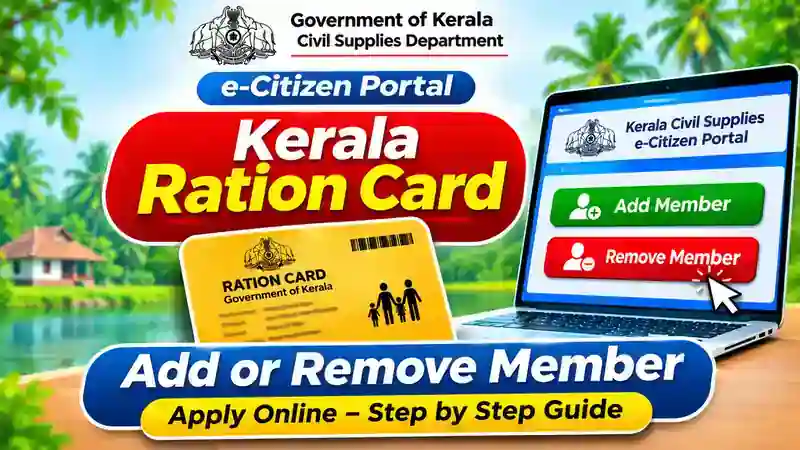
Do you want to add a new family member or remove an existing name from your Kerala ration card? The Kerala Civil Supplies Department offers online services through its e-Citizen Portal. You can submit applications from your mobile phone or computer without making an initial visit to a government office.
This service is useful for families who have welcomed a newborn baby, recently got married, moved to another household or need to update their ration card details. In this guide, you will learn how to add or remove a name from a Kerala ration card online, which documents you may need and how to check your application status.
Official Kerala Ration Card Portal
The Kerala Civil Supplies Department provides online ration card services through its official e-Citizen website. Citizens can register, log in and select the required family-related service. The portal provides services such as Addition of Member, Reduction of Member, Transfer of Member, Name Correction and Address Change. Choose the correct service according to your requirement.
When Can You Add or Remove a Member?
You can request a new member addition when a baby is born or an eligible family member needs to join your household. If someone gets married and moves to another household, their existing ration card membership may need to be transferred or removed first. Similarly, you can request the removal of a member who has passed away or permanently moved out of the household. However, if a person is moving to another taluk, check whether Transfer of Member is the correct service instead of ordinary removal.
Documents Required
The documents depend on the reason for the application and the member’s existing ration card status. Keep the following details ready before starting the online process.
- Existing Kerala ration card number.
- Aadhaar details of the applicant and relevant family members, where applicable.
- Birth certificate for adding a newborn baby.
- Death certificate for removing a deceased member.
- Consent from the existing cardholder, where required.
- Transfer application number, if the person is transferring from another taluk.
- Other supporting documents requested by the portal.
The official FAQ explains that a person who is already included in another ration card cannot simply be added to a second card. The existing membership must be handled through the appropriate transfer or removal process.
How to Add a Name Online
Follow these steps to apply for Addition of Member through the Kerala Civil Supplies portal.
Step 1: Open the Official Website
Visit the Kerala Civil Supplies e-Citizen Portal using your mobile phone or computer. Select the Citizen Login option to access online services.
Step 2: Create an Account or Login
If you already have an account, enter your User ID and password. New users should select Create an Account and complete the registration process using the required ration card and Aadhaar details.
Step 3: Open the e-Services Section
After successful login, click the E-SERVICES option. You will see several ration card services arranged under different categories.
Step 4: Select Addition of Member
Under the family-related services, choose Addition of Member. Enter the new member’s details carefully and provide the required supporting information.
Step 5: Upload Supporting Documents
Upload the documents requested by the portal. Check the details before submitting the application to avoid mistakes or delays.
Step 6: Complete Final Submission
The official FAQ explains an important final submission procedure. First, click Submit and then select Print to download the application. Obtain the required signature, scan the signed application and upload it again. Finally, click Final Submit to complete the process.
How to Remove a Name Online
If you want to remove an existing family member, select Reduction of Member instead of Addition of Member.
Step 1: Visit the official e-Citizen Portal and log in using your registered account.
2: Open E-SERVICES and find the family-related services section.
Step 3: Select Reduction of Member from the available options.
Step 4: Choose the member whose name needs to be removed and enter the reason for the request.
5: Upload the supporting documents requested by the portal. For a deceased member, the department’s FAQ specifically mentions the death certificate.
Step 6: Click Submit, print the application, obtain the required signature and upload the signed copy.
Step 7: Click Final Submit and save the application reference number for future use.
How to Check Application Status
After completing your application, you can check its progress through the available application status service. Log in to your account and select Application Status under e-Services, where available. Enter the required application details to view the current status. You can also use the Ente Ration Card mobile app to check application information. Keep your application number safe until the department completes the process.
Ente Ration Card Mobile App
The Kerala Civil Supplies Department also provides the Ente Ration Card mobile app. It helps users view ration card details, family member information, monthly ration entitlement and application status.
Download the official applications here:
- Android: Download Ente Ration Card from Google Play
- iPhone: Download Ente Ration Card from Apple App Store
The mobile app is useful for checking information. For submitting a member addition or removal request, use the official e-Citizen Portal and follow the available service instructions.
Frequently Asked Questions
1. Can I add my newborn baby’s name to my Kerala ration card online?
Yes. You can apply through Addition of Member and provide the birth certificate and other documents requested by the department.
2. How can I remove a deceased person’s name?
Select Reduction of Member on the e-Citizen Portal and submit the application with the death certificate.
3. Can I add my wife’s name after marriage?
Yes, subject to the applicable eligibility and membership transfer requirements. If she is already included in another ration card, complete the appropriate procedure first.
4. Can I apply using my mobile phone?
Yes. You can access the e-Citizen website through a mobile browser. You can also visit a nearby Akshaya Centre for assistance.
5. Is the Ente Ration Card app available for iPhone?
Yes. The official app is listed on Apple’s App Store. You can use the link provided above to access it.
Recommended Internal Links
| Article-ൽ ചേർക്കേണ്ട Anchor Text | Internal Link |
|---|---|
| Ente Ration Card App | Ente Ration Card App – Kerala Guide |
| DigiLocker | DigiLocker App Guide |
| Birth Certificate | Kerala Birth Certificate Online |
| Cast Certificate | Kerala Caste Certificate Online |
Conclusion
Updating your family details is important to keep your Kerala ration card information accurate. The Civil Supplies e-Citizen Portal makes it easier to submit Addition of Member and Reduction of Member applications online. Before applying, check the required documents and select the correct service. Complete the signed application upload and Final Submit process where instructed. For more Kerala government service guides, visit Thanseena Ilyas.