
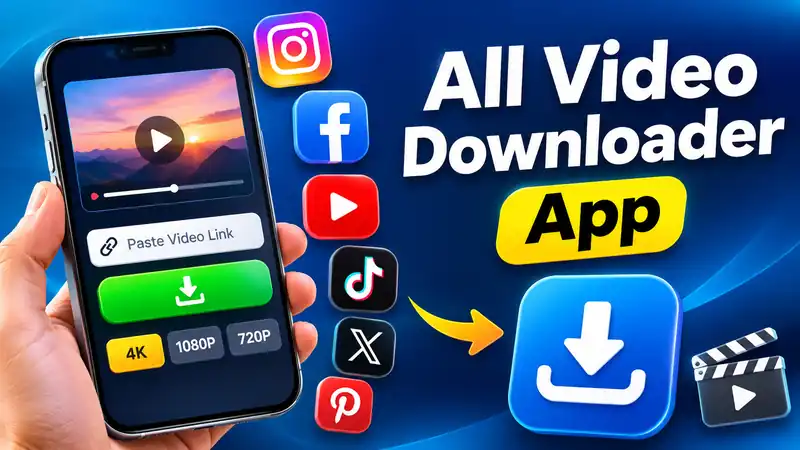
Downloading videos from social media platforms is something many people want to do. Sometimes, you may find an interesting video on Instagram, Facebook, YouTube, or another platform and want to save it for later viewing. However, not every social media platform provides a direct download option for every video.
An All Video Downloader App can make this process easier by bringing different video-link options together in one place. Instead of visiting multiple websites, users can paste a video URL into a single downloader interface and check the available download options. In this article, let’s explore how an All Video Downloader App works, its features, supported platforms, and important things users should know before downloading videos.
What Is an All Video Downloader App?
An All Video Downloader App is a tool designed to help users download videos from supported online platforms using video links. It provides a simple interface where users can paste a video URL and check whether the content is available for downloading. The main advantage is convenience.
Users do not need to search for separate downloader tools for every platform. A single interface can bring different supported services together.Depending on the platform and its technical restrictions, the available download options may differ. Some videos may support different quality options, while others may not be available for direct downloading.
How Does All Video Downloader Work?
Using a video downloader is generally simple. Most tools follow a similar process, making them easy to understand even for beginners. First, open the social media platform and find the video you want to save. Copy its video link using the platform’s sharing option.
Next, open the All Video Downloader website or application. Paste the copied URL into the provided input box and start processing the link. If the video is supported and downloading is permitted, the tool may display available download options. Select an appropriate option and save the video to your device.
Supported Social Media Platforms
One of the main attractions of an All Video Downloader tool is its ability to work with multiple platforms through a single interface. Here are some popular platforms users may want to access:
1. Instagram Video Downloader
Instagram contains different types of video content, including Reels and public video posts. Users may want to save their own content or videos they have permission to download. A supported downloader can process eligible Instagram video links and display available saving options.
2. Facebook Video Downloader
Facebook users regularly share videos, entertainment clips, and other content. A video downloader can help users save eligible videos when downloading is permitted by the content owner and platform rules.
3. YouTube Video Downloader
YouTube is one of the most popular video-sharing platforms. Users can watch educational videos, tutorials, and entertainment content. However, downloading YouTube content through third-party tools may conflict with YouTube’s Terms of Service unless specifically permitted or authorised. Users should prefer YouTube’s official download features or obtain permission from the rights holder.
4. TikTok Video Downloader
TikTok is widely known for short-form videos and creative content. Users may want to save their own videos or content that creators have authorised for downloading. Available options depend on the creator’s settings and the platform’s restrictions.
5. X Video Downloader
X includes video posts shared by individuals, news accounts, and organisations. A compatible tool may help process eligible video links where downloading is authorised.
6. Pinterest Video Downloader
Pinterest is another popular platform for discovering creative ideas, tutorials, and visual content. Users may want to save videos for personal reference. Downloading should always respect the original creator’s rights and applicable platform rules.
Key Features of All Video Downloader
A good video downloader should focus on simplicity, speed, and a user-friendly experience. Here are some useful features to look for.
1. Multiple Platform Support: Users can access supported video services through one interface instead of switching between different downloader websites.
2. Simple Link-Based Downloading: The copy-and-paste method makes the process straightforward. Users only need to provide the video URL to check available options.
3. Mobile-Friendly Design: A responsive interface allows users to access the downloader from smartphones, tablets, and desktop computers.
4. Easy-to-Use Interface: A clean design with a simple URL input box and clear instructions makes the service accessible to beginners.
5. Available Video Quality Options: Where supported and authorised, users may find different video quality options. Availability depends on the original source and platform.
6. No Complicated Installation: A browser-based downloader can be convenient because users do not necessarily need to install additional software on their devices.
Is All Video Downloader Safe to Use?
Safety is an important consideration when using online video downloader services. Users should always choose trustworthy websites and avoid tools that request unnecessary permissions or sensitive account information. Never share your social media passwords with third-party downloader websites.
A basic link-based service should not need access to your personal social media account. Also, avoid suspicious download buttons, unwanted browser notifications, and files from unknown sources. Using an updated browser and reliable security software can provide additional protection.
Is Downloading Social Media Videos Legal?
Before using any video downloader, users should understand copyright rules and platform policies. Not every publicly available video is free to download or reuse. A video may belong to its original creator, and downloading or redistributing it without permission can create copyright issues. In India, the Copyright Act, 1957 provides legal protection for copyrighted works. YouTube also restricts downloading content unless it is expressly authorised by the service or permitted by the rights holder.
Therefore, users should prioritise their own videos, content with appropriate permission, and material that is legally available for downloading. They should also avoid bypassing private-content restrictions, DRM, or other technical protection measures.For more information about copyright protection and content-related complaints, read our DMCA Policy.
Frequently Asked Questions (FAQs)
1. What is All Video Downloader?: All Video Downloader is a tool designed to help users process video links from supported social media platforms and access available downloading options.
2. Can I download Instagram videos?: You may be able to download eligible Instagram videos when the creator and applicable platform rules permit it.
3. Does All Video Downloader support Facebook?: Facebook video links may be supported depending on the tool’s compatibility and the video’s availability.
4. Can I use All Video Downloader on my mobile phone?: Yes, a browser-based downloader with a responsive design can be accessed through supported mobile browsers.
5. Is All Video Downloader free?: The availability of free features depends on the particular service. Check the website for its current usage conditions.
6. Do I need to install an application?: If the service offers a web-based downloader, you can use it directly through a browser without installing an additional application.
All Video Downloader Link
Conclusion
All Video Downloader can be a convenient solution for users who want to manage video links from different social media platforms in one place. Its simple copy-and-paste approach can make the process easier, especially for people who regularly access multiple platforms. However, supported platforms, downloading options, and video quality may vary. Always respect copyright ownership, creator permissions, and platform policies before saving or sharing online videos.