Kerala’s land administration is becoming more digital with the introduction of the Ente Bhoomi Kerala portal. This government platform brings important land-related services from the Survey, Revenue and Registration Departments into one online system. Property owners can use it to check available digital survey information and access several government services.
If you own land in Kerala, checking your property details in the digital survey records is important. The portal also provides facilities to report missing land information and access selected property-related services. Here is a step-by-step guide to using Ente Bhoomi online.
What Is Ente Bhoomi Kerala?
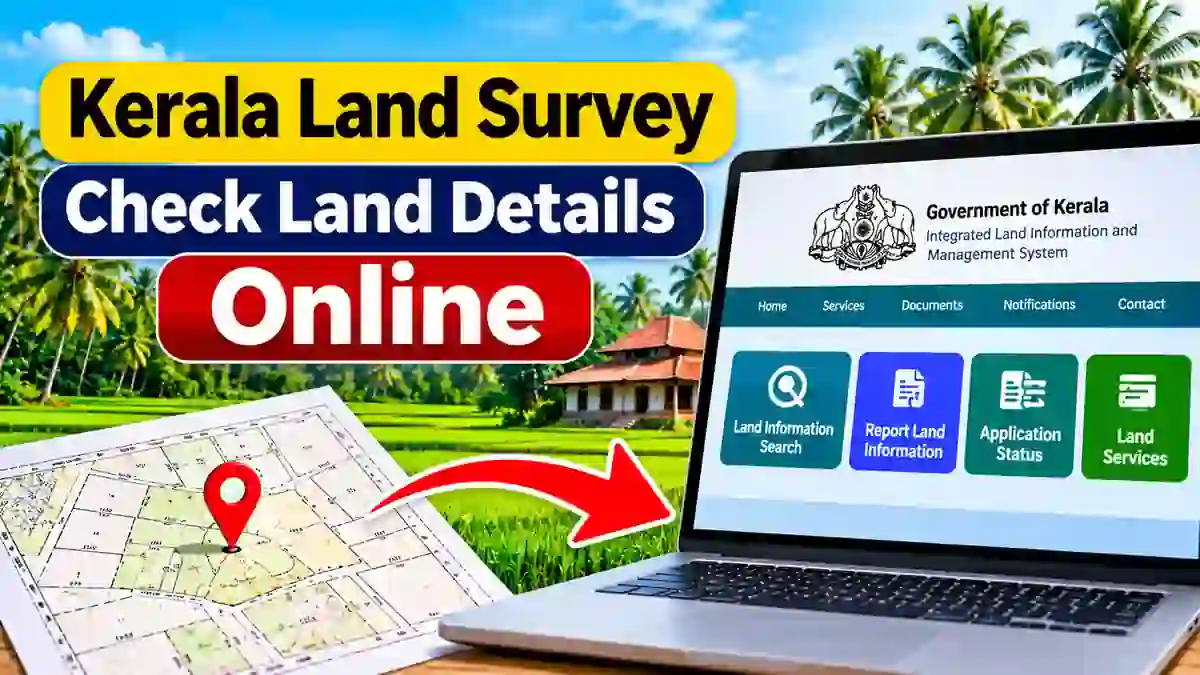
Ente Bhoomi is the Integrated Land Information and Management System (ILIMS) developed by the Government of Kerala. It is part of the state’s Digital Resurvey Mission. The platform connects the Survey, Revenue and Registration Departments to make land administration more accessible.
Through this system, citizens can access available land information, initiate applications and track their requests. It also aims to reduce the need to visit different government offices for related services. However, service availability depends on the digital survey and notification status of each village.
Main Services Available on Ente Bhoomi
The Ente Bhoomi portal provides several facilities for property owners. These services help citizens access land information and complete selected procedures online.
- Land Information Search: Check available digital survey details.
- Report Land Information: Report missing property details in the survey records.
- Land Tax Payment: Access available online land tax services.
- Survey Records: Search and apply for eligible survey documents.
- Location Sketch: Apply for a location sketch of your property.
- Pre-Mutation Sketch: Access services related to property transfer.
- Application Status: Track submitted applications.
- Registration Services: Access selected property registration facilities.
How to Check Land Survey Details Online in Kerala
Property owners can use the official survey portal to check whether their land information appears in the available digital survey records. Follow these steps:
- Visit the official Ente Bhoomi Survey Portal.
- Select the Land Information Search option.
- Choose your district from the list.
- Select the relevant taluk and village.
- Enter the block code.
- Provide the survey number and subdivision number.
- Complete the displayed verification.
- Click the Search button to view available information.
Keep your existing land documents ready before starting the search. Enter the details carefully because incorrect survey numbers or village information may produce no results.
How to Register and Login to Ente Bhoomi
To access integrated land services, visit the official Ente Bhoomi portal. Select the registration option and follow the instructions displayed on the website. According to the official registration guide, property owners can register using the mobile number linked to their land during the digital survey. Complete the OTP verification to continue. Once registration is complete, use the Single Sign-On facility to access supported services from the connected departments.
How to Report Missing Land Information
Sometimes, property owners may not find their land details in the available digital survey records. In such cases, the portal provides a Report Land Information facility. Open the official survey portal and select the reporting option. Choose your district, taluk and village, then provide the survey information requested by the website. Check the details carefully before submitting your report.
Keep your land tax receipt, deed or other relevant property documents ready. The department may request additional information to verify the submitted details. You can also contact the concerned survey office for assistance.
How to Access Other Land Services
Ente Bhoomi is not limited to digital survey searches. The integrated portal also provides access to selected services from the Revenue and Registration Departments. For example, eligible users can access land tax payment, mutation-related services, location sketches and applications for survey records. The portal also provides facilities related to property transfers and Encumbrance Certificate applications for eligible records.
If you need information about registered property documents, read our guide on Kerala Land Deed Details Online. You can also explore our Kerala PEARL Registration Portal Guide for registration-related information.
Ente Bhoomi Kerala Helpdesk and Contact Details
If you face difficulties while checking your land information or submitting an application, contact the official helpdesk. You can also approach the concerned survey camp office for assistance with property records and digital survey-related issues.
- Toll-Free Number: 1800 425 5080
- Email: helpdesk.dls@kerala.gov.in
- Official Contact Page: https://entebhoomi.kerala.gov.in/web/contact/us
Official Ente Bhoomi Website and Mobile Access
You can use Ente Bhoomi through a mobile phone, tablet or computer. Open the official website using your browser and select the service you need.
Official links:
- Survey Portal: https://survey.entebhoomi.kerala.gov.in/
An official Android or iPhone app download link could not be verified. Therefore, use the official website through your mobile browser instead of installing unofficial APK files. For more useful digital document services, read our guide to the DigiLocker App. You can also check our article about Kerala Property Tax Online.
Frequently Asked Questions
1. Is Ente Bhoomi Kerala an official government portal?
Yes. Ente Bhoomi is the Government of Kerala’s integrated land information platform connecting Survey, Revenue and Registration services.
2. Can I check my land survey number online?
Yes. Use the Land Information Search facility and enter the district, taluk, village, block code and survey details requested by the portal.
3. What should I do if my land details are missing?
Use the Report Land Information option on the survey portal. You can also contact the relevant survey office for further assistance.
4. Can I pay land tax through Ente Bhoomi?
The integrated portal provides land tax payment facilities for eligible properties and villages. Log in and check the services available for your property.
5. Is there an Ente Bhoomi mobile application?
Use the official website through your mobile browser. Check the government portal for any verified announcement about an official mobile application.
Conclusion
Ente Bhoomi Kerala is an important step towards digital land administration in the state. It helps property owners access available survey records, report missing information and use selected land-related government services online. Before making a property transaction, always verify important information with the concerned government department. Visit the official Ente Bhoomi portal to check the services available for your village and property.