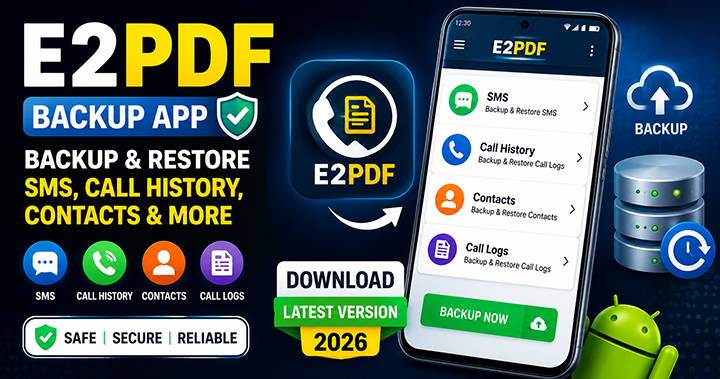
In today’s digital age, our smartphones carry essential data, including personal messages, call history, contacts, and important communication records. Losing this data due to device issues, switching phones, or accidental deletion can be stressful. That’s where the E2PDF – SMS Call Backup Restore App comes in. This powerful tool has become one of the most reliable apps for backing up SMS, call logs, contacts, and more in easy-to-read PDF format. This article provides a complete overview of the E2PDF app, its features, benefits, download links, and why it is one of the best mobile backup solutions available today.
Updated: 27 September 2026 – information checked and refreshed for 2026.
| App name | E2PDF – SMS Call Backup Restore |
| Developer | Day Dreamer LLC |
| Downloads | 10 million+ on Google Play |
| Rating | 4.2 / 5 |
| Platform | Android only |
| Price | Free (with ads) |
| Export formats | PDF, XML (for restore) |
What Is E2PDF ?
Whether you want to back up your SMS messages, call logs, contact list, device information, or even Wi-Fi details, the app allows you to create a clean and organized PDF file within seconds. The simplicity of E2PDF makes it ideal for both personal and professional use, especially for users who need documented proof of communication such as conversations or call history. It is an easy solution for archiving important chats, legal communication, customer interactions, or sentimental messages. The app stands out because it does not require complicated cloud setup or account creation. Everything is done directly on the user’s device, keeping the process fast and secure. Data is saved instantly in PDF format so it can be stored, shared, printed, or emailed whenever required.
Key Features of E2PDF App
The E2PDF SMS Call Backup Restore App is packed with features that make it extremely useful for users seeking reliable and secure mobile data backup. One of its most popular features is the ability to export SMS conversations into well-structured PDF files. This means you can save entire threads or specific contacts with ease. The PDF format retains the layout, timestamps, and message sequence, ensuring clear and accurate documentation of the data.
Another major feature is the call log backup function, which lets you export incoming, outgoing, and missed calls. This is especially useful for users who need call details for office work, business records, customer management, or legal purposes. You can even select how you want your data organized, ensuring convenience and clarity in the final PDF file.
Why You Should Use E2PDF for Backup
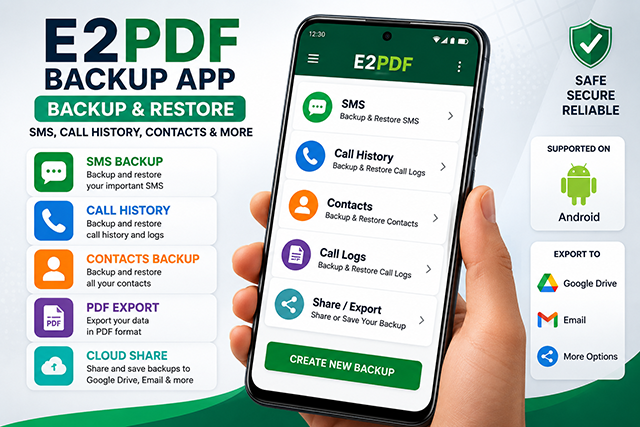
There are many backup apps available, but E2PDF stands out because of its simplicity, offline capability, and speed. You do not need cloud storage or login credentials to use it. All data stays within the device unless you choose to export it. This makes E2PDF a safer choice for privacy-focused users who do not want to upload their sensitive messages to online servers. Additionally, the PDF format makes document sharing easier. PDF files are universally compatible and can be opened on any device, making it simple to store or print your backups. This is especially useful for people who need physical documentation for official or personal use. Whether you’re switching phones or simply cleaning your device, E2PDF makes your backup process smooth and dependable.
How E2PDF Works: Simple and User-Friendly
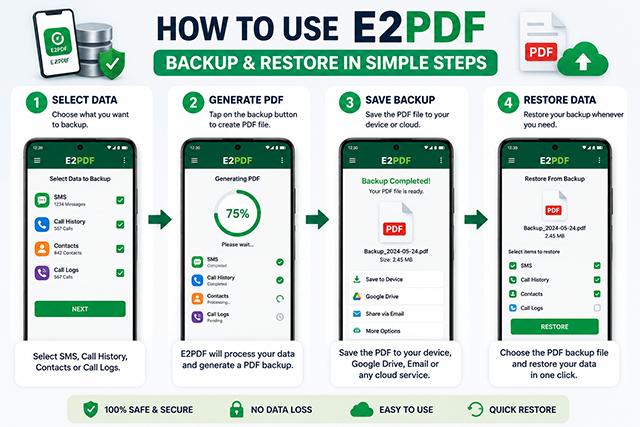
The app automatically detects your available backup options such as SMS, call logs, contacts, device info, calendar events, and Wi-Fi configuration. You simply select the category, choose your preferred settings, and allow the app to generate a clean PDF backup. The entire backup process takes only a few seconds, even for large SMS threads. This level of efficiency and convenience is why E2PDF has gained millions of downloads on the Google Play Store.
Is E2PDF Safe to Use?
The app only processes data you authorize and saves the final PDF file in your internal storage. You have complete control over your backup files, ensuring maximum privacy and security. The app also maintains a high rating on the Play Store, supported by positive reviews from users who rely on it for long-term data archiving. For users worried about cloud-based backup risks, E2PDF offers a reliable alternative with full offline capabilities.
E2PDF App Website & Download Links
DOWNLOAD (PLAYSTORE)
DOWNLOAD (APP STORE)
Download for iPhone (Alternative Options):
E2PDF is currently available only on Android.
iPhone users can use alternative apps like:
- SMS Export for iOS
- iMazing Backup Tool
How to Download E2PDF Call History (Step by Step)
Many people search for “E2PDF call history” because they want a printable record of their calls. Follow these simple steps:
- Install E2PDF SMS Call Backup Restore from the Google Play Store.
- Open the app and allow permission to read call logs.
- Tap Call Logs on the home screen.
- Choose all calls or a single contact, and pick a date range if you only need a few days or months.
- Tap Export and select PDF.
- Save the file to your phone, or upload it to Google Drive or Dropbox so you never lose it.
How to Backup and Restore Call History with E2PDF
A PDF is good for reading and printing, but it cannot be restored. If you want to move your call history to a new phone, create an XML backup instead:
- On your old phone, open E2PDF and create a call log backup in XML format.
- Save the backup to Google Drive or copy it to the new phone.
- Install E2PDF on the new phone and choose the Restore option.
- Select the backup file and wait until all call logs are restored.
Tip: Android may ask you to set the app as the default SMS app while restoring messages. After the restore is complete, switch back to your normal messaging app.
E2PDF Call History on iPhone
E2PDF works only on Android phones. iPhone does not let third-party apps read your call history, so there is no official E2PDF app for iOS. iPhone users can keep call history safe with an iCloud backup or with a computer backup tool such as iMazing.
Frequently Asked Questions
Is E2PDF free?
Yes. E2PDF is free to download and use. It shows ads inside the app.
Can I export call history of one contact only?
Yes. Select the contact in the Call Logs section and export only that person’s calls.
Can I restore call history from a PDF file?
No. PDF files are only for viewing and printing. Use an XML backup if you want to restore call logs later.
Is E2PDF available for iPhone?
No. The app is available only for Android on the Google Play Store.
Is E2PDF safe?
According to its Play Store listing, the app does not collect or share user data with third parties. Always download it only from the Google Play Store.
Conclusion
E2PDF – SMS Call Backup Restore App is one of the most efficient and secure tools for backing up mobile data. Its user-friendly interface, quick PDF generation, and offline functionality make it ideal for users who want control and safety over their communication record. Whether you’re switching smartphones, organizing your files, or simply safeguarding your memories, E2PDF remains one of the top choices for Android users. Download it today and enjoy peace of mind knowing your valuable mobile data is always safe.