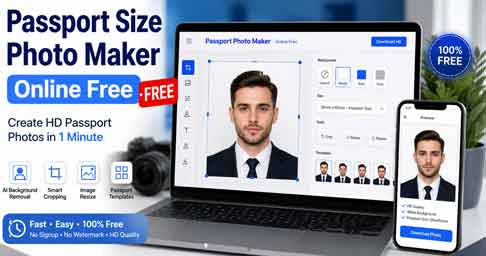
Looking for a passport size photo maker online free tool? Then you are in the right place. Nowadays, you do not need to visit a photo studio for a passport, visa, or ID photo. Instead, a free online tool can crop, resize, and fix the background of your photo in under a minute. In this simple guide, you will learn how these tools work, which features matter, and how to get a photo that passes official checks the first time.
What Is a Passport Size Photo Maker Online Free?
In short, a passport size photo maker online free is a simple web tool that turns a normal selfie into an official ID photo. First, it finds your face. Then, it crops the image to the correct size for your country. Finally, it replaces the background with plain white. As a result, you get a ready-to-use photo for passports, visas, Aadhaar, PAN card, driving licence, and job forms.
Why Use a Free Online Passport Photo Tool?
- Save money: You skip studio charges and pay only for printing, if needed.
- Save time: Moreover, the whole process takes about one minute at home.
- Fewer rejections: The correct size and white background reduce the risk of a rejected passport or visa application.
- Works on any device: You can use it on a phone, tablet, or computer without installing software.
Common Passport Photo Sizes by Country
First of all, each country has its own rules. So, always pick the right template before you download. For example, here are the most common sizes:
| Country / Document | Photo Size | Background |
|---|---|---|
| India Passport | 35 x 45 mm | White |
| USA Passport and Visa | 2 x 2 inch (51 x 51 mm) | White |
| UK Passport | 35 x 45 mm | Light grey or cream |
| Schengen Visa | 35 x 45 mm | Light grey or white |
| Canada Passport | 50 x 70 mm | White or light colour |
How to Make a Passport Size Photo Online for Free
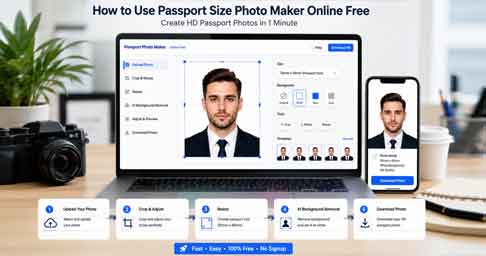
- First, take a clear photo in good light in front of a plain wall. Also, look straight at the camera.
- Next, open the free passport photo maker and upload your picture.
- Then, choose your country or document type from the list.
- Once uploaded, allow the AI to remove the background and set it to white.
- After that, check the face position and download the photo in JPG format.
- Finally, upload it for your online application, or print it on 4×6 photo paper at a nearby shop.
Create Your Passport Photo Now
Download Passport Photo Maker App for Android and iPhone
Key Features of the Best Passport Photo Maker Online
- AI background removal that gives a clean white background.
- Auto face detection for correct head size and position.
- Country templates for passport, visa, and ID card sizes.
- HD download in JPG or PNG format.
- Print sheet layout that fits several photos on one 4×6 sheet, which lowers printing cost.
Tips to Avoid Passport Photo Rejection
- Always use a recent photo taken within the last six months.
- Besides, keep a neutral face with your eyes open and mouth closed.
- Similarly, avoid shadows on your face or on the background.
- Also, do not use beauty filters or heavy edits.
- Lastly, remove glasses and caps, unless worn for religious or medical reasons.
Frequently Asked Questions
Is a passport size photo maker online free safe to use?
Yes, most trusted tools are safe to use. However, choose a website that deletes your uploaded photos after processing.
Can I make a passport photo on my mobile phone?
Yes. Most tools work in mobile browsers. In addition, you can use Android or iPhone apps.
What is the passport photo size for India?
In general, the Indian passport photo size is 35 x 45 mm with a plain white background.
Which file format should I download?
Generally, JPG is accepted by most online application portals. In addition, it is easy to print.
Do I need to pay to download the photo?
Usually, no. Many tools let you download for free, while some charge only for extra features like print sheets or premium backgrounds.
Conclusion
A passport size photo maker online free tool is the fastest and cheapest way to get an official photo. Simply take a clear picture, upload it, choose your country size, and download. Because the tool handles cropping and background removal, your photo is more likely to be accepted for passport, visa, and ID applications the first time.