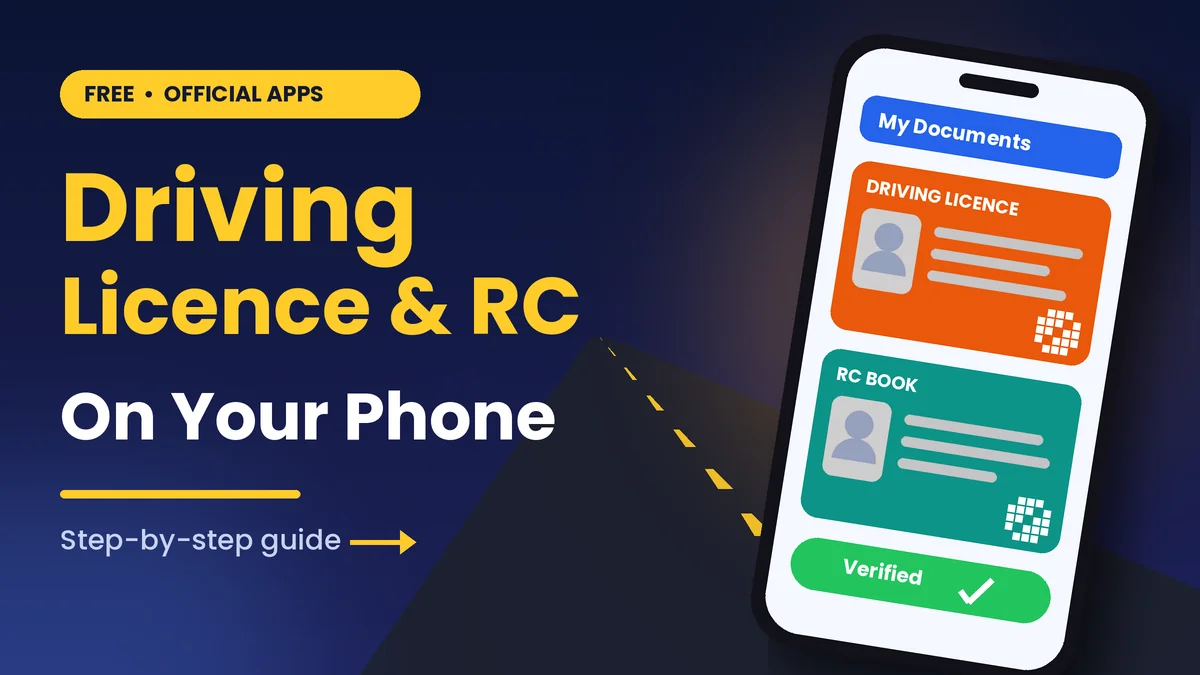
Has police ever stopped you while your licence was at home? Good news! You can download driving licence on mobile in five minutes, for free.
First, you need one government mobile app, your phone number and Aadhaar. After that, your licence and RC book stay safe in your phone.
Quick Overview
| Detail | Info |
|---|---|
| App name | DigiLocker and NextGen mParivahan |
| Developer | NeGD (DigiLocker) and NIC (mParivahan), Government of India |
| Size | Varies with device |
| Version | Latest |
| Works on | Android, iPhone and Web |
| Price | Free |
| Rating | DigiLocker 4.2★, mParivahan 3.7★ (Google Play) |
| Last updated | 30 September 2026 |
Why Download Driving Licence on Mobile?
Paper cards get lost, torn or wet. However, when you download driving licence on mobile, it stays clean and safe.
For example, Ravi rents a bike on a trip but forgets his wallet. Still, he opens the mobile app, shows his licence and rides on.
It also helps when you renew car insurance, file an insurance claim or apply for a vehicle loan. In these cases, share your RC and licence in seconds.
Most importantly, the Transport Ministry says copies in DigiLocker and mParivahan are valid like the original cards. You can also read more on the official DigiLocker website.
Best Features Explained Simply
- Digital licence: Your DL (driving licence) shows with your photo, number and expiry date.
- Virtual RC: Your RC book is your vehicle’s registration paper. Also, the application shows owner name, model and fuel type.
- Insurance dates: mParivahan shows when your vehicle insurance ends. As a result, you never miss a renewal.
- Easy sharing: Besides, download a PDF and send it on WhatsApp.
How to Download Driving Licence on Mobile with DigiLocker
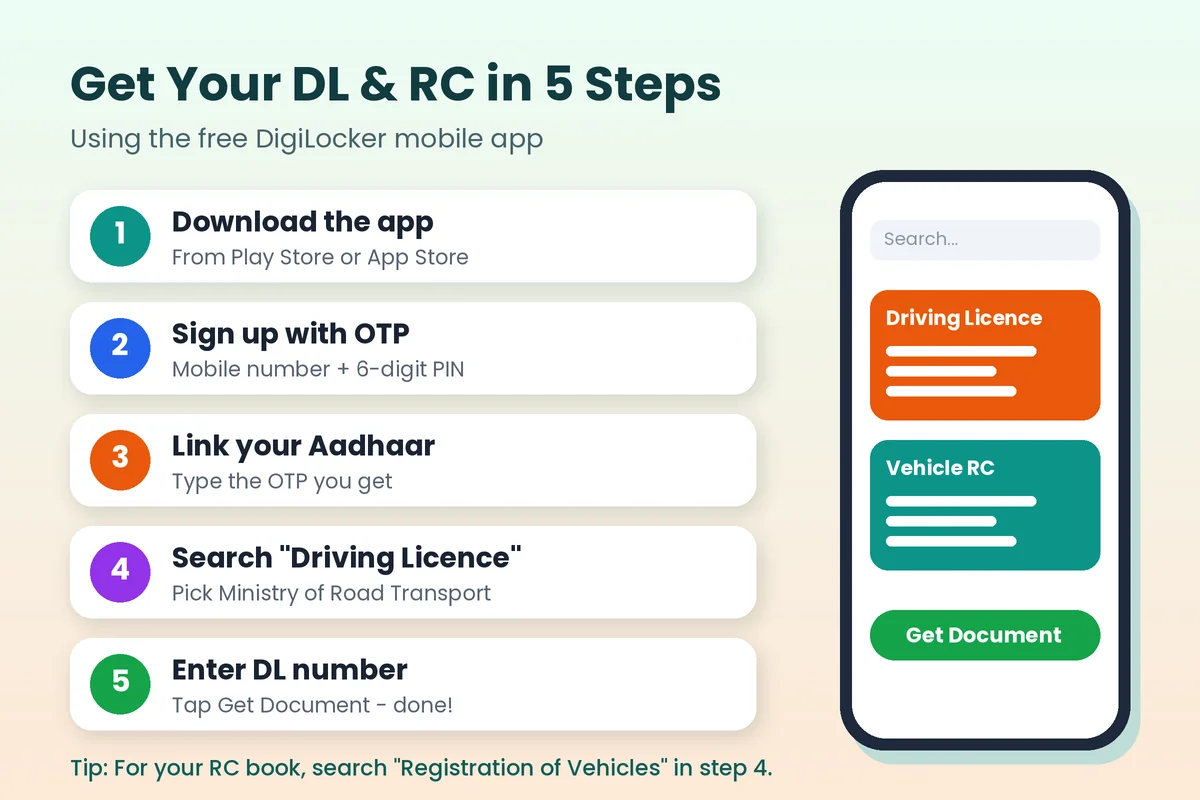
Step 1: First, open Play Store or App Store. Then search “DigiLocker” and tap Install.
Step 2: Next, open the app and tap “Sign Up”. Enter your name, birth date and mobile number, then set a 6-digit PIN.
Step 3: After that, type the OTP (a one-time code sent by SMS). Also, link your Aadhaar when the application asks.
Step 4: Now tap “Search” and type “Driving Licence”. Then choose “Ministry of Road Transport and Highways”.
Step 5: Finally, enter your DL number as on your card. Tap “Get Document”, and your licence shows under “Issued”.
For the RC book, search “Registration of Vehicles” in Step 4 instead. Then type your vehicle number and the last 5 digits of the chassis number.
Use NextGen mParivahan to Download Driving Licence on Mobile
First, download the mParivahan mobile app and sign in with your mobile number and OTP. Then open the DL or RC section and type your number. As a result, your virtual licence or RC appears with a QR code.
Download DigiLocker & mParivahan Safely
Official links only • Latest version • Size varies with device
Tips After You Download Driving Licence on Mobile
- Keep your Aadhaar-linked mobile number active, because the OTP comes there.
- Also, set a screen lock so nobody else opens your papers.
- Before a trip, open the application once with internet.
- In addition, note your insurance end date. Renewing on time avoids fines and higher premiums.
- Is your licence close to expiry? Then follow our simple guide to renew your driving licence online from home.
Common Problems and Quick Fixes
- “No record found”: Type the DL number with the state code.
- OTP not coming: First wait two minutes. Then check your network and tap Resend.
- Name does not match: In this case, visit your RTO to correct it.
- App not opening: Update the app and then restart your phone.
DigiLocker vs mParivahan vs Parivahan Website
| Feature | DigiLocker | NextGen mParivahan | Parivahan Website |
|---|---|---|---|
| Driving licence | Yes | Yes | Details only |
| RC book | Yes | Yes | Details only |
| Insurance date | No | Yes | Yes |
Is It Safe to Download Driving Licence on Mobile?
Yes, but first check the developer name. Also, use only Google Play, the App Store or the official website. Above all, never share your OTP or PIN, even with a caller claiming to be from the RTO.
FAQ
1. Is it legal to download driving licence on mobile and show it to police?
Yes, because DigiLocker and mParivahan copies are accepted. However, a gallery photo is not.
2. Can I download my RC book without Aadhaar?
Yes, mParivahan lets you sign in with your mobile number and OTP. However, DigiLocker usually needs Aadhaar linking.
3. Do these apps cost money?
No, because both apps are free, with no hidden charges.
4. What if I change my phone?
Simply log in again. Then your documents come back.
Conclusion
In short, now you know how to download driving licence on mobile, along with your RC book. It takes five minutes and therefore saves stress. So tap a button below, install the free mobile app and keep your papers ready today!
Download DigiLocker & mParivahan Safely
Official links only • Latest version • Size varies with device