The Kerala SSLC Certificate is an important Class 10 educational document issued through Kerala’s public examination system. Students commonly need their SSLC document for higher education, employment, scholarship applications, identity verification, and other official requirements. Kerala Pareeksha Bhavan provides the official SSLC examination portal, while DigiLocker can provide digitally issued education documents when the relevant record is available.
For students who completed SSLC in Kerala, keeping a digital copy is useful because it can be accessed from a smartphone or computer. DigiLocker is a Government of India digital document platform that allows citizens to access, share, and verify digitally issued documents. Its official website currently lists Kerala among the states with integrated issuers and also provides access to Class X marksheet documents.
How to Download SSLC Certificate Online
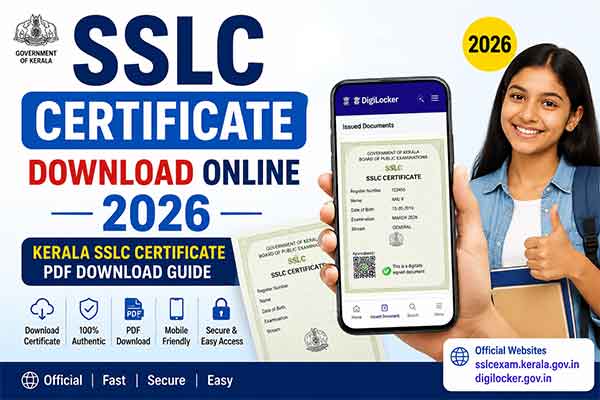
If you are searching for SSLC Certificate Download Online 2026, DigiLocker is one of the easiest options to check first. Open the official DigiLocker website or mobile application and sign in to your account. Then open the section for issued documents and search for the education or Class X document available from the Kerala board. If your record is available, enter the requested details, retrieve the document, and save or share the digitally issued copy.
Keep your SSLC registration number and personal details ready before starting the process. The exact fields shown can vary depending on the issuer and the version of the DigiLocker service available to you. If the document cannot be retrieved, do not use an unofficial download website or upload a modified certificate. Instead, check the official Kerala SSLC portal or contact Pareeksha Bhavan for further assistance.
Download Kerala SSLC Document Through DigiLocker
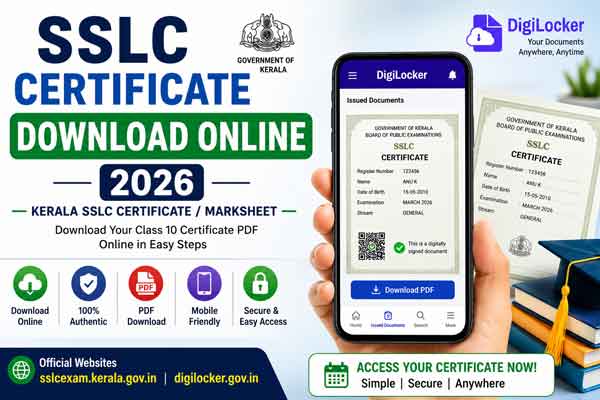
To check your Kerala SSLC document in DigiLocker, first log in through the official website or application. Go to Issued Documents and look for the relevant education document or search for the Kerala education issuer. Select the available Class X/SSLC document and provide the registration details requested on the screen. Once the record is successfully fetched, it will appear in your DigiLocker account and can be viewed or downloaded for your records.
DigiLocker distinguishes between documents issued directly by an integrated issuer and files that a user uploads personally. Officially issued documents appear under Issued Documents, while files uploaded by users are stored in DigiLocker Drive. This distinction is important when you need an authenticated educational document for an application or verification process. DigiLocker documents can also contain a secure QR code that can be checked through its verification service.
What You Need Before Downloading
Before attempting the Kerala SSLC certificate download, keep your SSLC registration number, date of birth, mobile number, and DigiLocker login details ready. Depending on the account and issuer, Aadhaar-linked verification may also be required for accessing certain issued documents. DigiLocker explains that users who verify their account can access documents issued directly by participating authorities, while a personal Drive is mainly for files uploaded by the user.
It is also important to enter your details exactly as they appear in the official records. A mismatch in name, date of birth, registration number, or other information can prevent a document from being fetched. If your record is not found, wait and try again later if the service is temporarily unavailable, or contact the appropriate education authority rather than relying on third-party websites.
Is DigiLocker SSLC Document Valid?
DigiLocker is an official Government of India digital document platform designed for accessing, sharing, and verifying digitally issued documents. Its Issued Documents section contains documents provided by integrated government departments and institutions. DigiLocker also provides QR-based verification for its digitally issued documents.
However, users should understand the difference between a digitally issued document and a scanned copy uploaded to DigiLocker Drive. If an institution specifically asks for the original physical certificate, follow that institution’s requirements. For admissions, employment, passport applications, or other important purposes, check whether the receiving authority accepts the DigiLocker-issued document before submitting it.
Common Problems and Solutions
Sometimes an SSLC document may not appear immediately in DigiLocker, or the search may return no matching record. First, check that your name, date of birth, registration number, and other information match the board record. You can also update the DigiLocker application and retry the process after some time if there is a temporary technical issue. The official DigiLocker FAQ explains that issued documents are provided by integrated partner organisations, so availability depends on the relevant issuer and record.
If the document still cannot be retrieved, use the official Kerala SSLC portal or contact Kerala Pareeksha Bhavan. Avoid websites that promise instant SSLC certificates in exchange for personal information or payment. For important educational records, official portals are the safest choice.
Frequently Asked Questions
Can I Download my Kerala SSLC certificate online in 2026?
You can check DigiLocker for your digitally issued Kerala Class X/SSLC document. Availability depends on the relevant issuer record and your details.
Can I download the SSLC document on Android?
Yes. The official DigiLocker Android application is available through Google Play and supports access to digital documents.
Can iPhone users access DigiLocker?
Yes. DigiLocker has an official iOS application available through Apple’s App Store.
What details are required?
Keep your SSLC registration number, date of birth, mobile number, and DigiLocker login details ready. Additional verification may be requested depending on the service.
Where can I check Kerala SSLC information?
The official Kerala SSLC examination portal is sslcexam.kerala.gov.in, provided through Kerala Pareeksha Bhavan.
How to Download SSLC PDF on Mobile
You can use either an Android phone or an iPhone to access DigiLocker. The official DigiLocker Android application is published by the National e-Governance Division, Government of India, and the official iOS application is available through Apple’s App Store. Both provide mobile access to DigiLocker documents and certificates.
After installing the app, sign in to DigiLocker and open Issued Documents. Search for the relevant Kerala Class X or SSLC document, enter the requested details, and retrieve the document if it is available. You can then view it, save it for later reference, or use the sharing options provided by DigiLocker. Always download the official app from the links below rather than installing APK files from unknown websites.
Official DigiLocker Links
🌐 DigiLocker Website:
Open DigiLocker Official Website
📱 Android App:
Download DigiLocker for Android
🍎 iPhone / iOS App:
Download DigiLocker for iPhone
🔐 DigiLocker Document Verification:
Verify DigiLocker Document Online
Official Kerala SSLC Website
For Kerala SSLC examination-related information, the official Kerala Pareeksha Bhavan website provides the SSLC examination portal. Students should use official government websites when checking results, examination information, certificates, or correction-related services. The official Pareeksha Bhavan page identifies sslcexam.kerala.gov.in as the SSLC examination portal.
🌐 Kerala SSLC Official Portal:
Open Kerala SSLC Official Portal
🌐 Kerala Pareeksha Bhavan:
Visit Kerala Pareeksha Bhavan
SSLC Certificate Download 2026 – Watch Video
Conclusion
The SSLC Certificate Download Online 2026 process is easier when you use official digital services instead of third-party websites. DigiLocker provides a convenient way to access digitally issued Class X documents on Android, iPhone, and computers, while Kerala Pareeksha Bhavan remains an important official source for SSLC examination services.
Before submitting an SSLC document for admission, employment, verification, or another official purpose, check the requirements of the organisation receiving it. Keep both your digital document and original certificate safely stored whenever possible. Most importantly, use only official government portals and verified applications when accessing your educational records.
Internal Links
- DigiLocker App: Secure Digital Storage for Documents & Certificates
DigiLocker App: Secure Digital Storage for Documents & Certificates - Kerala Textbooks Online: Download Samagra Kerala Textbooks
Kerala Textbooks Online: Samagra Kerala Textbooks - Voter Helpline App & Electoral Search Portal
Voter Helpline App & Electoral Search Portal Guide - K-Smart Birth Certificate Portal
K-Smart Birth Certificate: Online Download Guide