
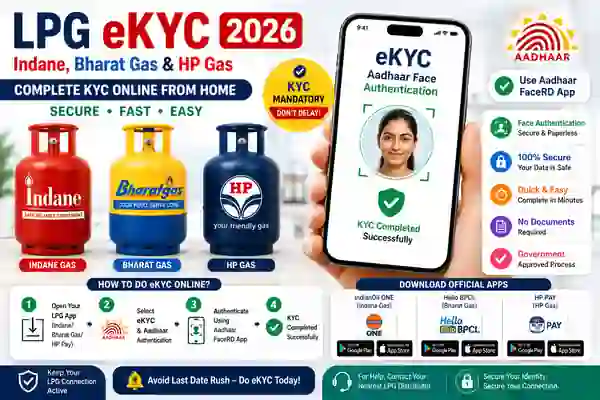
LPG eKYC Online is the digital customer verification process used for LPGgyas connections through authorised oil company services. The three major public-sector LPG brands covered in this guide are Indane, Bharat Gas and HP Gas. Government information now provides a self-service route for face-based biometric Aadhaar authentication, using the respective oil company’s mobile app together with the Aadhaar FaceRD application.
The online process can save customers a visit to the LPG distributor when self-authentication is available for their connection. However, the exact screen and steps can vary between the three companies and between app versions. Therefore, customers should always use the official application published by the relevant oil company. Avoid unofficial APK files or websites that ask for Aadhaar OTPs, passwords or other sensitive information.
Can LPG eKYC Be Done From Home?
Yes. The official PMUY e-KYC page currently provides instructions for self face-based biometric Aadhaar authentication using the mobile app of the customer’s oil company along with Aadhaar FaceRD. This covers the LPG ecosystem for Indane, Bharat Gas and HP Gas.
This means eligible customers can potentially complete the authentication process using a compatible smartphone without visiting the distributor. The availability of the option can still depend on the customer’s LPG account and the service flow shown by the oil company. If the option is unavailable, the customer should contact the authorised distributor or official customer support.
Indane Gas eKYC Online
For Indane Gas eKYC, customers can use the official IndianOil ONE application for IndianOil LPG services. The current Google Play listing says IndianOil ONE lets customers manage their LPG connection, book cylinders, view booking history, change distributors, request a new LPG connection and raise service requests. The app was updated in July 2026.
Government PMUY information also identifies IndianOil ONE as the customer app for Indane LPG services. For self face-based Aadhaar authentication, customers may need both the oil company’s app and Aadhaar FaceRD. Follow the authentication instructions displayed on the official app and make sure your smartphone has a working front camera and internet connection.
IndianOil ONE is published by Indian Oil Corporation Limited and provides LPG account management and related services.
Bharat Gas eKYC Online
Bharat Gas eKYC Online can be accessed through the official Bharat Petroleum digital services. The Government’s PMUY website identifies Hello BPCL as the customer app for Bharatgas. The current app listing states that HelloBPCL provides Bharatgas services including LPG cylinder booking, payment, booking history, distributor changes, emergency help, mechanic requests and eKYC.
BPCL’s privacy policy also confirms that the company can provide Aadhaar-based services including Aadhaar e-KYC, subject to the applicable Aadhaar framework and user consent. Therefore, Bharat Gas customers should use the official HelloBPCL application and follow the eKYC instructions shown for their connection.
HP Gas eKYC Online
HP Gas eKYC Online is supported through HPCL’s digital LPG services. HPCL states that eKYC has been provisioned on the HP Gas consumer portal and that Aadhaar authentication is available so consumers can complete the authentication themselves.
The official HP PAY application also provides HP Gas account management, new LPG connection requests, cylinder booking and payment, and several LPG service options. HPCL’s official app listing identifies Hindustan Petroleum Corporation Limited as the developer. Therefore, customers should download HP PAY only from recognised app stores and use the official HP Gas portal for online services.
How Aadhaar App Authentication Works
Aadhaar App Authentication is a 1:1 verification process. UIDAI explains that the face captured during authentication is matched with the facial biometric associated with the particular Aadhaar number. It is a consent-based authentication method and can provide a contactless alternative to fingerprint or iris authentication.
For successful face capture, UIDAI recommends keeping the complete face visible, looking directly at the camera and remaining still during capture. Good lighting is important, and hats, glasses or other coverings that obscure facial features should be removed when required. UIDAI currently lists Android 9 or above, at least 4 GB RAM, a 5.5-inch or larger display, a 13 MP or better camera and sufficient storage among the stated Face Authentication device specifications.
What You Need for LPG eKYC
Before starting LPG KYC Online 2026, keep your registered mobile number and LPG customer information ready. You should also have the Aadhaar details required by the authentication process and a smartphone that meets the current Face Authentication requirements if face verification is being used. A stable internet connection can help prevent interruptions during the authentication process.
The exact documentation requirements can differ depending on the type of LPG request. Bharat Gas’s official KYC documentation, for example, lists identity and address proof requirements for KYC procedures. If the online system asks for additional information or documents, provide them only through the official oil company portal or authorised distributor.
What If LPG eKYC Fails?
If LPG eKYC is not working, first check whether the relevant oil company app and Aadhaar FaceRD are updated. Also check the camera, lighting, internet connection and device compatibility. UIDAI says that when face authentication fails repeatedly, an error code is displayed and the concerned entity can be contacted with that code for resolution.
Do not install an unofficial FaceRD APK just because the official process fails. Similarly, never give your Aadhaar OTP, UPI PIN, bank password or other confidential information to an unknown person offering to complete LPG KYC. If the online option remains unavailable, contact the official LPG distributor or customer-care channel for the relevant company.
Also Read
- Indian Oil eKYC Online 2026: Step-by-Step KYC Update Guide
- AIR SUVIDHA 2.0: How to Fill the Health Self-Declaration Form Before Traveling to India
- E2PDF – SMS Call Backup Restore App: The Complete Guide to Secure Mobile Data Backup
Frequently Asked Questions
What is LPG eKYC ?
It is the digital KYC and Aadhaar authentication process available for eligible LPG customers through authorised oil company services.
Can Indane, Bharat Gas and HP Gas eKYC be done from home?
Yes. The Government’s PMUY e-KYC page currently provides a self face-based biometric Aadhaar authentication process using the relevant oil company app along with Aadhaar FaceRD.
Which app is used for Indane Gas eKYC?
IndianOil ONE is the official IndianOil customer app for LPG services.
Which app is used for Bharat Gas eKYC?
HelloBPCL is the official Bharat Petroleum customer app, and its current listing includes Bharatgas eKYC.
Which app is used for HP Gas eKYC?
HP PAY is the official HPCL app for HP Gas and other HPCL services.
Is Aadhaar FaceRD required for LPG eKYC?
For the self face-based biometric Aadhaar authentication workflow described by the Government’s PMUY e-KYC page, the oil company app is used together with Aadhaar FaceRD.
Is AadhaarFaceRD available for iPhone?
Yes. An official AadhaarFaceRD listing is available on Apple’s App Store, with UIDAI identified as the developer.
What should I do if face authentication fails?
Check lighting, camera positioning, device compatibility and app versions. If an error code continues to appear, contact the concerned service provider with the error code.
📱 Official App Download Links
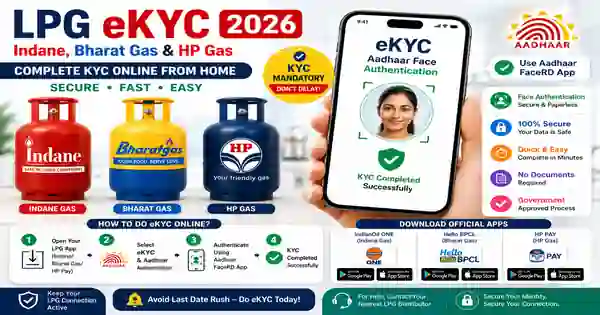
Indane Gas App Download
IndianOil ONE is published by Indian Oil Corporation Limited and provides LPG account management and related services.
Bharat Gas App Download
The official Bharatgas website also confirms that its mobile application is available for Android and iPhone
Download HP App
HP PAY is published by Hindustan Petroleum Corporation Limited and includes HP Gas account management and LPG services.
Aadhaar App Download
The Aadhaar app is the UIDAI application used as part of supported face authentication workflows. UIDAI’s current FAQ says that users need the application of the relevant entity as well as Aadhaar FaceRD, and directs users to Google Play for the official “Aadhaar App (Early Access) Application” from UIDAI.
For iPhone users, an official AadhaarApp listing is also available on Apple’s App Store and identifies UIDAI as the developer. The App Store description explains that FaceRD is intended for specific use cases and requires a compatible AUA/KUA application for full functionality.
Conclusion
LPG eKYC Online has become more convenient with the availability of digital authentication services for Indane, Bharat Gas and HP Gas customers. The Government’s official e-KYC page now provides a self face-based biometric Aadhaar authentication route using the relevant oil company’s mobile application together with Aadhaar FaceRD.
Indane customers can use IndianOil ONE, Bharat Gas customers can use HelloBPCL, and HP Gas customers can use HP PAY for their respective LPG services. For face authentication, UIDAI’s official FaceRD application may be required as part of the supported workflow. Always download these applications from official app stores, check the developer name, and never share OTPs or confidential Aadhaar information with unknown persons.