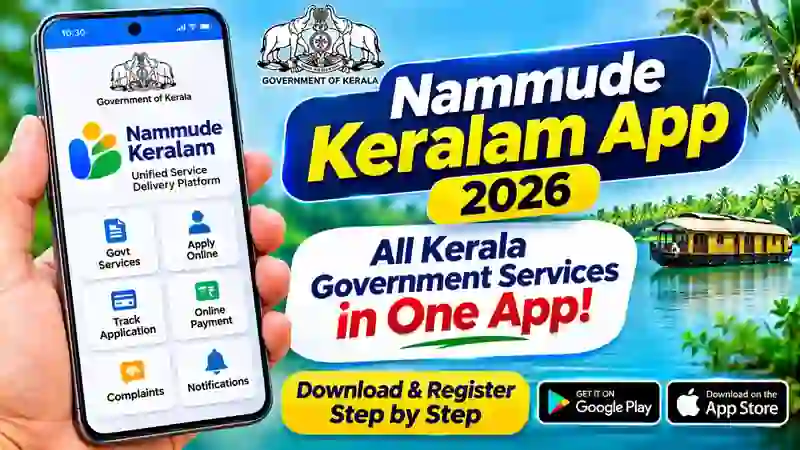
The Nammude Keralam App is a digital platform developed to make Kerala Government services more accessible to citizens. Instead of visiting multiple websites to find government information, users can explore several services through a single mobile application and web portal. The platform brings together services from different government departments and aims to make public services simpler, faster and more convenient. Whether you want to access government information, make online payments or submit a complaint, Nammude Keralam provides a common digital gateway.
What Is Nammude Keralam App?
Nammude Keralam is the Government of Kerala’s Unified Service Delivery Platform. It was developed for the Kerala State IT Mission by the Kerala Blockchain Academy under Digital University Kerala. The mobile application and web portal were officially launched on February 24, 2026. The platform is designed to connect citizens with government departments through digital services. Its updated Nammude Keralam 2.0 platform continues to expand the range of services available to the public.
Key Features of Nammude Keralam App
The app brings together different government services in one place. Users can explore department-wise services and check the available options without searching through several separate websites. It also provides facilities for online payments, application tracking and access to digital documents through DigiLocker. Citizens can submit complaints, report corruption and find information about government officials. The official portal also highlights hospital token booking as a newly available service.
Main Features
- Access government services through one platform.
- Explore services offered by different departments.
- Apply for available online services.
- Track application status where supported.
- Make online payments for eligible services.
- Submit complaints and report corruption.
- Access documents through DigiLocker.
- Check notifications and service updates.
- Use the hospital token booking facility available on the platform.
How to Register on Nammude Keralam App
After installing the application, open it and follow the registration instructions displayed on the screen. Select the sign-up or One Time Registration (OTR) option if prompted. Enter the details requested by the application, such as your mobile number and other required information. Complete the OTP verification if the app requests it. Once registration is successful, sign in using the available login option and explore the services displayed on the home page.
The exact registration screens and verification requirements may change with app updates. Therefore, follow the instructions shown in the latest official version. Never share your OTP, password or other confidential details with unknown callers or websites.
How to Use Government Services
After logging in, visit the home page and browse the available service categories. You can search for a particular service or select the relevant government department. Read the eligibility conditions and instructions before submitting an application. If online payment is required, use the payment option provided within the official platform. Save the acknowledgement or reference number whenever one is generated.
You can also explore complaint-related facilities and other citizen services. For services that redirect you to another department’s website, follow the instructions on that official page. Remember that application approval and processing times are controlled by the concerned department, not necessarily by the app.
Is Nammude Keralam App Safe?
Download the app only from the official Google Play Store or Apple App Store. Check the developer name before installing it. Read the privacy policy and review the permissions requested by the application. Do not share your OTP, passwords or banking PIN with anyone. For help, use the contact details provided on the official portal.
How to Download Nammude Keralam App
You can install the Nammude Keralam App on Android and iPhone devices. Always download it from the official app stores to avoid fake applications. Follow the steps below.
For Android Users
- Open the Google Play Store on your Android phone.
- Search for Nammude Keralam.
- Check that the developer is Kerala Appstore.
- Open the official application listing.
- Tap the Install button.
- Wait for the installation to finish.
- Open the app and continue with registration.
For iPhone Users
- Open the Apple App Store on your iPhone.
- Search for Nammude Keralam.
- Select the official application.
- Tap Get to install it.
- Complete the installation.
- Open the app to access the available services.
Official Website and Customer Support
You can access the Nammude Keralam web portal without installing the mobile application. Visit the official website to explore the available services, department information and latest updates.
Official Website: https://nammudekeralam.kerala.gov.in/
Helpline: 155300 (as listed on the official portal)
Email: helpdesk.nammudekeralam@gmail.com
Conclusion
Nammude Keralam App is an important step towards making Kerala Government services easier to access through digital technology. It brings several citizen services together and helps users find relevant government information from their smartphones. Download the official app, complete the registration process and explore the services available for your needs. Before submitting an application or making a payment, always read the instructions and verify the details on the official platform.
Useful Digital Services for Kerala Citizens
If you regularly use online government services, you may also find these guides useful:
- Aadhaar-related services: https://thanseenailyas.com/aadhaar-app/
- DigiLocker App guide: https://thanseenailyas.com/digilocker-app/
These guides explain how to use other useful digital services through your smartphone.