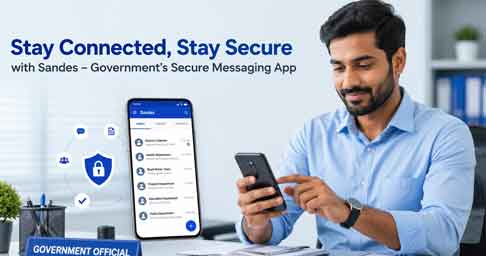
The Sandes App is an official messaging application developed by the National Informatics Centre (NIC) under the Government of India. It was introduced to provide a secure communication platform for government organisations and citizens. Unlike many commercial messaging apps, Sandes runs on Government infrastructure and focuses on protecting user privacy. Today, it is available for both Android and iPhone users.
If you are looking for a secure messaging app developed in India, Sandes is worth considering. The app supports text messaging, voice and video calls, file sharing, and group chats. In addition, it offers encrypted communication and works with selected Government digital services. This guide explains its features, installation process, and benefits.
What is Sandes App?
Sandes is an Indian messaging platform created for secure digital communication. It supports Government-to-Government (G2G), Government-to-Citizen (G2C), and Citizen-to-Government (C2G) communication through a protected network. Furthermore, the application is hosted on Government-managed infrastructure instead of private servers. This improves security and gives users more confidence while sharing important information.
Features of Sandes App

The Sandes App includes one-to-one messaging, group chats, voice calls, video calls, and secure file sharing. It also supports encrypted backups and encrypted OTP delivery for better account protection. In addition, the platform can integrate with Government services such as NIC Email and DigiLocker where supported. Regular updates also improve performance, security, and overall user experience.
How to Install and Use Sandes App
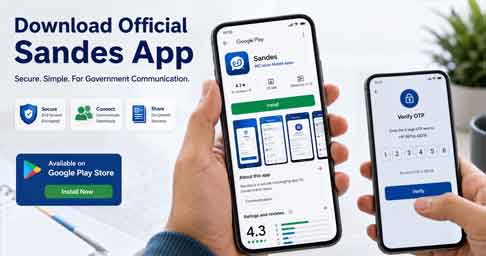
First, download the Sandes App from the official website, Google Play Store, or Apple App Store. Next, open the application and verify your mobile number using the OTP sent to your phone. After that, complete your profile by entering your name and other basic details. Finally, you can start sending messages, sharing documents, creating groups, and using the available communication features securely.
Why Should You Use Sandes App?
Sandes is a good choice for users who want an official Indian messaging platform with strong security features. Since the app is developed by the National Informatics Centre (NIC), it follows Government security standards and supports encrypted communication. Moreover, it is free to use and continues to receive improvements through regular updates. Always download the app from the official sources to ensure you are using the genuine version.
Frequently Asked Questions
Is Sandes App free?
Yes. The Sandes App is completely free to download and use.
Who developed Sandes App?
It was developed by the National Informatics Centre (NIC), Government of India.
Is Sandes available for Android and iPhone?
Yes. The application is available for both Android and iPhone devices.
Does Sandes support voice and video calls?
Yes. Users can make secure voice and video calls through the application.
Is Sandes App safe?
Yes. Sandes supports encrypted communication and follows Government security standards for protecting user data.
Official Links
- Official Website: https://www.sandes.gov.in/
- Android App: https://play.google.com/store/apps/details?id=in.nic.gimkerala
- iPhone App: https://apps.apple.com/in/app/sandes/id1517976582
Conclusion
The Sandes App is a secure messaging platform developed by the Government of India for safe and reliable digital communication. It offers useful features such as encrypted messaging, voice and video calls, file sharing, and support for official communication. Whether you are a government employee or a regular user looking for a trusted messaging app, Sandes is a good option to consider. Always download the application from the official website or official app stores to enjoy the latest features and maintain the security of your account.
🔗 Related Articles
You may also find these helpful guides on ThanseenaIlyas.com:
- DigiLocker App – Store Government Documents Securely
https://thanseenailyas.com/digilocker-app-secure-cloud-storage/ - PEARL Registration Kerala: Complete Guide for Online
https://thanseenailyas.com/pearl-registration-kerala-guide/ - How To Check How Many SIM Cards On Your Name
https://thanseenailyas.com/check-how-many-sim-cards-on-your-name/ - eCitizen Kerala Login – Kerala Ration Card Online Services
https://thanseenailyas.com/ecitizen-kerala-login/ - KSEB WSS Login Portal – Online Electricity Services
https://thanseenailyas.com/kseb-wss-login-portal-guide/